How to Generate OG Images from Any Website (Free Tool)
When you share a link on Twitter, LinkedIn, or Facebook, the preview image can make or break engagement. A great OG (Open Graph) image grabs attention and drives clicks.
But creating OG images is tedious. You need the right dimensions (1200x630), proper formatting, and often expensive design tools.
That's why we built a free OG Image Generator that captures any website as a perfectly-sized OG image in seconds.
What is an OG Image?
OG images are the preview images that appear when you share a link on social media. They're defined by the Open Graph protocol and display at 1200x630 pixels - a 1.91:1 aspect ratio.
When your website doesn't have an OG image, social platforms either show nothing or auto-generate a poor-quality preview. Neither looks professional.
How to Generate an OG Image
Step 1: Go to the OG Image Generator
Visit docapi.co/tools/og-image-generator
Step 2: Enter Your URL
Paste the URL of any website. Let's use Bannerbear.com as an example - they have a beautiful landing page.
Step 3: Click Generate
Our tool captures a screenshot at exactly 1200x630 pixels using a real browser engine. This ensures fonts, images, and animations render correctly.
Step 4: Preview and Download
You'll see a preview of your OG image. If it looks good, click Download PNG to save it.
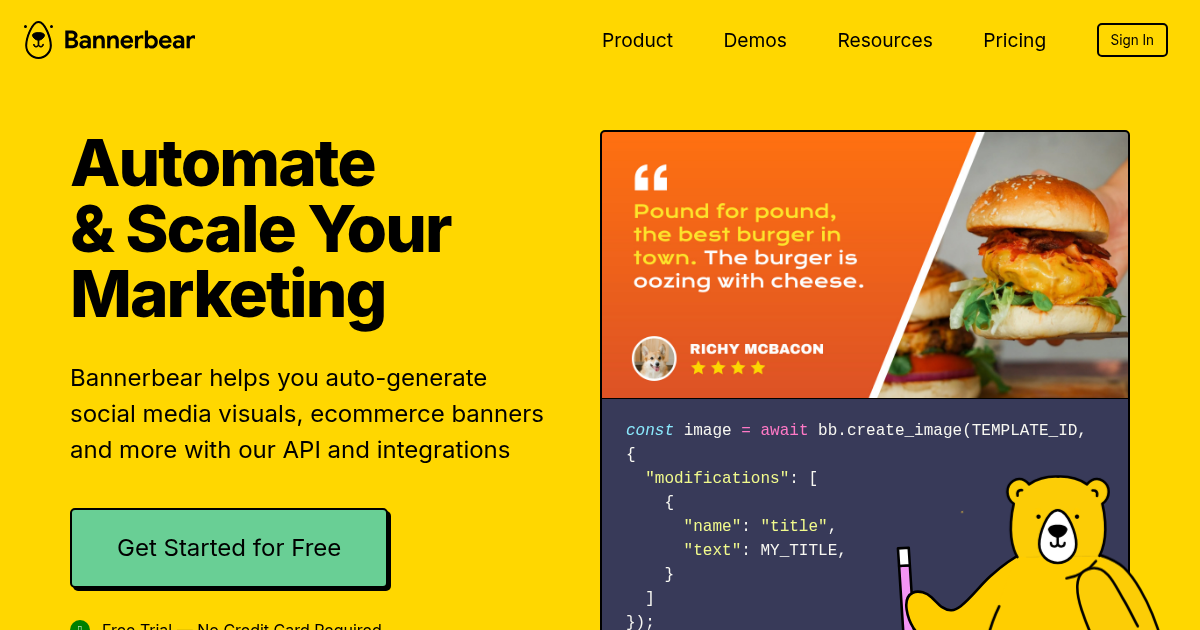
Example: OG image captured from Bannerbear.com
Use Cases
1. Blog Post Previews
Don't have a custom OG image for every blog post? Capture your blog's landing page or a styled preview page.
2. Product Pages
Generate OG images for product pages to show product screenshots in social shares.
3. Landing Pages
Capture your homepage or landing page for consistent branding when people share your site.
4. Competitor Research
See what your competitors' sites look like as social previews.
5. Documentation
Generate previews for docs pages, API references, or changelogs.
Tips for Better OG Images
Design Above the Fold
The OG image captures the top 630 pixels of your page at 1200px width. Make sure your most important content is visible without scrolling.
Use High Contrast
Social media feeds are busy. High contrast text and bold colors stand out more in the feed.
Include Your Logo
Brand recognition matters. Make sure your logo is visible in the captured area.
Test Different URLs
Try capturing different pages on your site to see which makes the best OG image.
Automate with Our API
Need to generate OG images programmatically? Use our Screenshot API:
const response = await fetch('https://api.docapi.co/v1/screenshot', {
  method: 'POST',
  headers: {
    'x-api-key': 'your-api-key',
    'Content-Type': 'application/json'
  },
  body: JSON.stringify({
    url: 'https://www.bannerbear.com',
    options: {
      width: 1200,
      height: 630,
      type: 'png'
    }
  })
});

const ogImage = await response.arrayBuffer();
This is perfect for:
- Automatically generating OG images for new blog posts
- Dynamic OG images for product pages
- Building your own OG image service
Start Generating
Ready to create professional OG images?
Open the OG Image Generator - Free, no signup required.
For automated generation, get your API key and check out our documentation.